
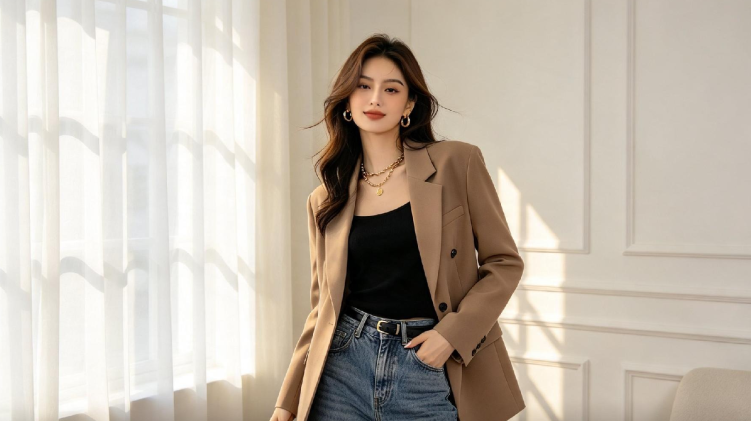
Get Ready With Me content has become one of the most reliably watched formats on social media, and it’s not hard to see why — there’s something genuinely satisfying about watching an outfit come together step by step, even when you already know how it ends. The catch is that filming a full GRWM sequence takes real time: setting up a camera, redoing takes, editing clips together.
Image to video AI free tools skip most of that friction entirely, letting you turn a single finished outfit photo into a polished, motion-filled reel without ever picking up a camera.
Dreamina’s Seedance 2.5 model is particularly good at this kind of transformation, adding natural, flowing movement to a still photo so it feels like genuine footage rather than an animated slideshow. Here’s how to turn one outfit photo into a reel people actually want to watch.
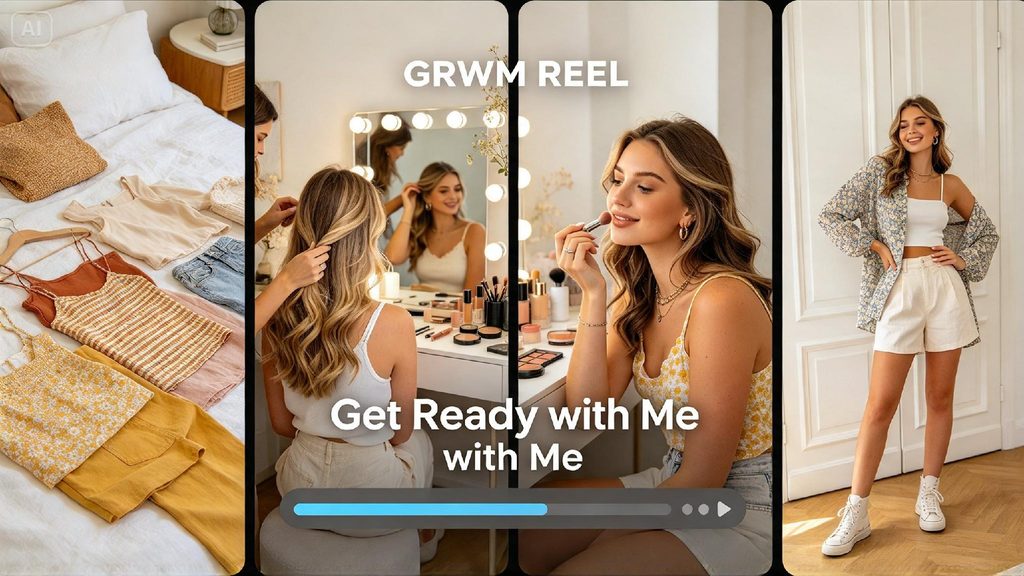
Why GRWM content performs so consistently well
Viewers tune into GRWM videos for the process as much as the result — the small, relatable rituals of getting dressed, the reveal of a finished look.
That format doesn’t require elaborate production value to work; it requires a sense of natural movement and a clear, satisfying final reveal, both of which a single well-shot outfit photo can now provide once animated.
Picking the outfit photo with the most reel potential
Not every outfit photo translates equally well into a GRWM-style video. The strongest candidates have good lighting, a clear full-body view, and enough visual interest in the outfit itself to hold attention for the full reveal.
- A full-length shot showing the complete outfit clearly
- Good natural or soft studio lighting with minimal harsh shadows
- An outfit with some visual detail worth highlighting, like texture or accessories
Describing the specific movement that sells the reveal
Since you’re animating from a single still, describing the exact motion you want is what determines how convincing the final video feels. A slow turn, a confident step forward, or a hand smoothing down a jacket all read as natural, human gestures rather than artificial animation.
Bring your outfit to life in three moves
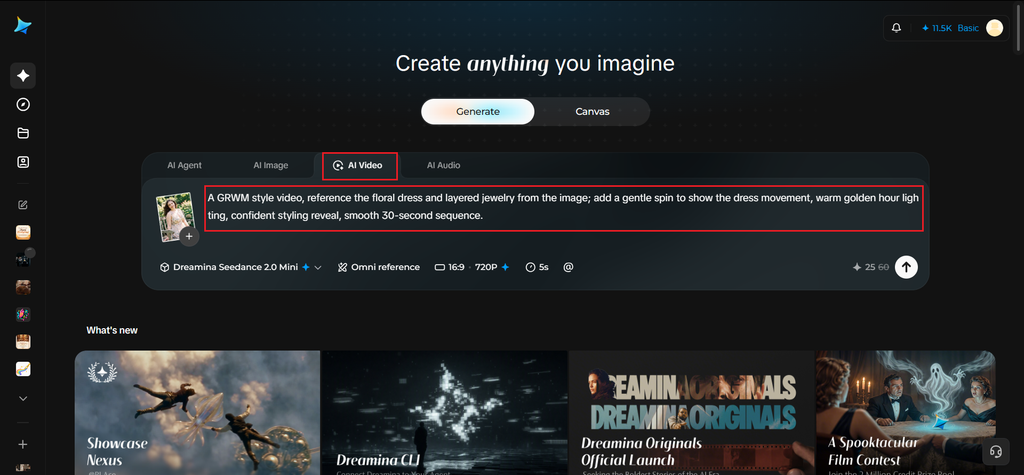
Step 1: Upload reference image and write corresponding prompt
Visit Dreamina, sign in, and head to the “AI Video” section. Click “Add reference image” to upload your outfit photo, then write a prompt describing exactly what to reference from the image and how you want it to move.
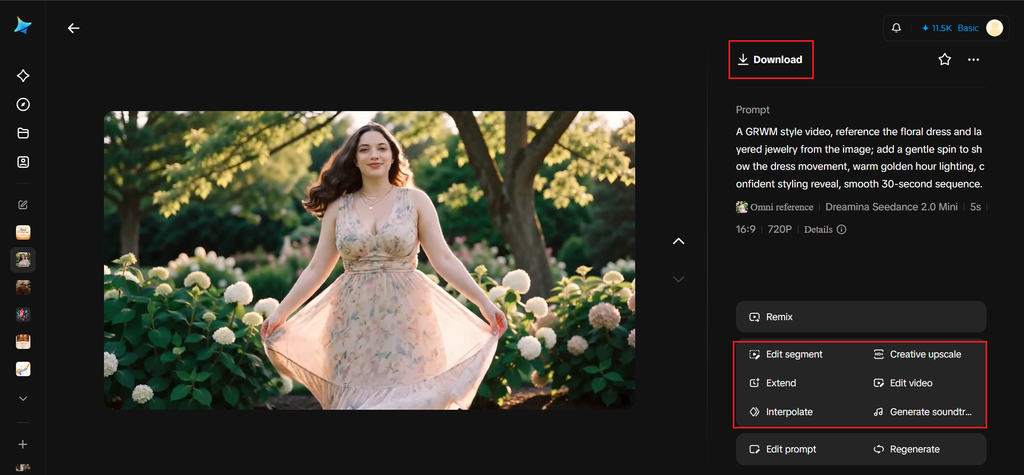
Example: A GRWM style video, reference the floral dress and layered jewelry from the image; add a gentle spin to show the dress movement, warm golden hour lighting, confident styling reveal, smooth 30-second sequence.
Step 2: Generate your video
After adding your image and prompt, choose the Seedance 2.5 model for generation. Next, select your video length, then a suitable aspect ratio — 16:9 for YouTube Shorts and wider platforms, 9:16 for TikTok and Instagram Reels. Finally, click Dreamina’s icon and wait a few seconds for processing.
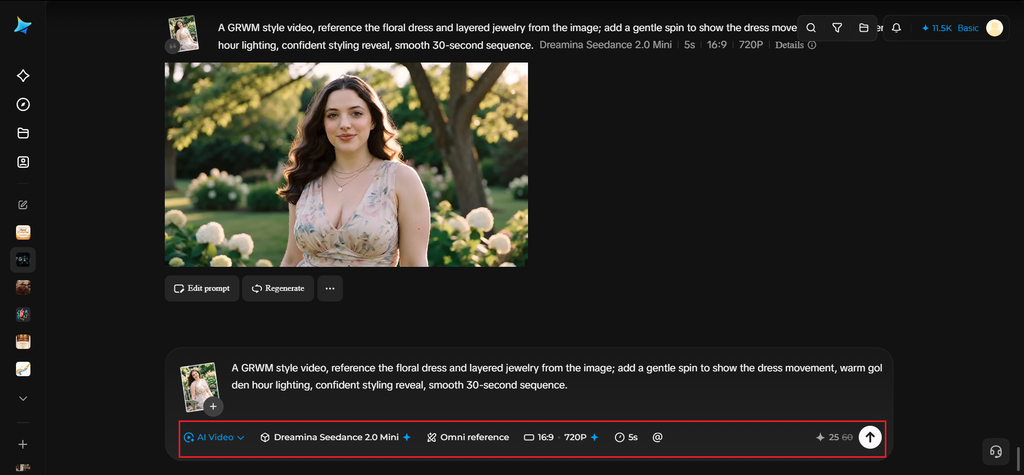
Step 3: Enhance & export the video
Polish your video with Dreamina’s AI editing tools before saving. Use Upscale for a sharper, more professional-looking final resolution, and Generate soundtrack to add a trendy, upbeat track that matches the reveal’s energy. Finally, export and share it directly to your favorite platform.
Seedance 2.5 and what makes it suited to fashion motion
Seedance 2.5, the video generation model behind Dreamina’s motion work, is particularly effective at animating fabric and movement convincingly — the way a dress sways during a turn, or a jacket settles after a step forward.
It keeps facial features and outfit details stable throughout the motion, which matters enormously for fashion content where the actual garment needs to stay clearly recognizable and true to the original photo.
Layering in small details that make the reel feel authentic
Beyond the main outfit reveal, small human touches — a quick glance at a mirror, adjusting a sleeve, a relaxed smile — add believability to the animation, making it feel like a genuine candid moment rather than a single pose stretched into motion.
Pacing a 30-second GRWM clip for maximum engagement
With a full 30 seconds to work with, structuring the video with a few seconds of anticipation before the main reveal, followed by a confident full-outfit moment, mirrors the pacing that makes traditional filmed GRWM content so satisfying to watch.
Building a weekly GRWM series from your existing photo library
Since this method works from any existing outfit photo, you can generate a whole week’s worth of GRWM-style reels from photos you’ve already taken, without needing fresh footage for every single post.
Where these GRWM reels perform best
This kind of fashion-forward motion content tends to do particularly well across:
- TikTok and Instagram Reels outfit content
- YouTube Shorts style and fashion channels
- Personal styling portfolios and client showcases
- Seasonal lookbook and capsule wardrobe content
Turn your next outfit photo into your next viral moment
A single great outfit photo already has everything a GRWM reel needs — it just needs motion. With Dreamina and the natural fluidity of Seedance 2.5, that transformation takes seconds, and it’s free to start creating today.