
A well-made Reel can teach you something about pacing in less than a minute. The opening shot catches attention, the middle shows a process, and the ending delivers a result. For a creator learning to make better short videos, those small decisions are often more useful than a general list of content tips.
The difficulty is remembering exactly what worked. A saved collection inside Instagram is convenient for browsing, while a local reference file can be useful for closer review. SaveInsta offers a starting point for people looking into instagram reels download and wanting to keep selected examples available for later study.
Give each reference a specific purpose
Before adding a Reel to your collection, write down the reason it interests you. Perhaps it uses a clear overhead camera angle for a craft demonstration. Perhaps its subtitles remain readable over a busy background. Another example might show how to introduce a finished product before explaining the steps.
These observations turn a folder of videos into a working resource. Instead of browsing randomly when planning your next post, you can look for an example of the exact problem you are trying to solve.
For instance, someone making a miniature building video could study how another creator shows scale, frames small tools, or edits repetitive actions. The reference should help explain a technique you can apply to your own original footage.
Use SaveInsta from the Reel link
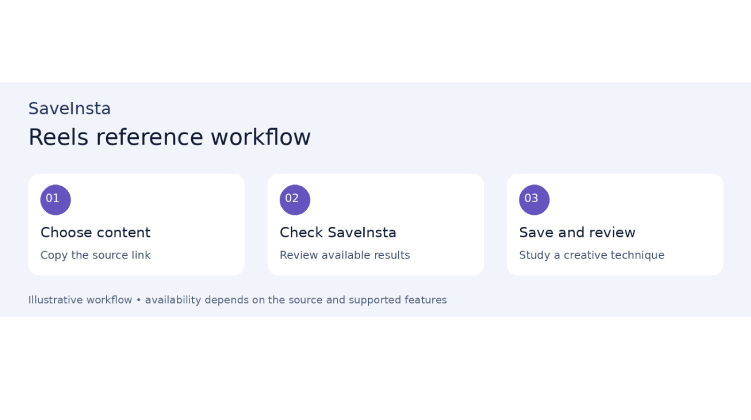
Open the Reel you want to reference and copy its link using Instagram’s available sharing controls. Go to SaveInsta, submit the link in the relevant download interface, and follow the current instructions. Where a downloadable file is available, save it and check the result on your device.
During that first review, pay attention to the details that motivated the download. Are the subtitles legible? Can you see the hand movements clearly? Is the opening frame included? A file is only a useful reference if it preserves the part you wanted to study.
Analyze the choices behind the clip
Watch the Reel once for its overall effect, then again for its structure. Note what appears first, when the camera angle changes, and how long each action stays on screen. Look at whether the creator explains through speech, captions, gestures, or a combination of these.
You can keep a short note beside the file: “Shows finished model first; uses close-ups for assembly; holds final shot long enough to inspect.” That is much more actionable than labeling the clip “good Reel.”
Also consider context. A fast montage may work for entertainment but leave too much out of an instructional video. A technique that succeeds for one audience may need adapting for another.
Use references to develop your own work
Saving a Reel does not give you permission to repost it, extract its music for a campaign, or present its footage as your own. If you need an actual clip in a published project, seek the appropriate permission rather than assuming a download includes reuse rights.
SaveInsta is most useful in this context as part of a focused reference workflow. Select a Reel for a clear reason, keep its source link, and translate what you learn into your own filming and editing decisions. Over time, that collection can help you make more deliberate short videos without losing your individual style.