
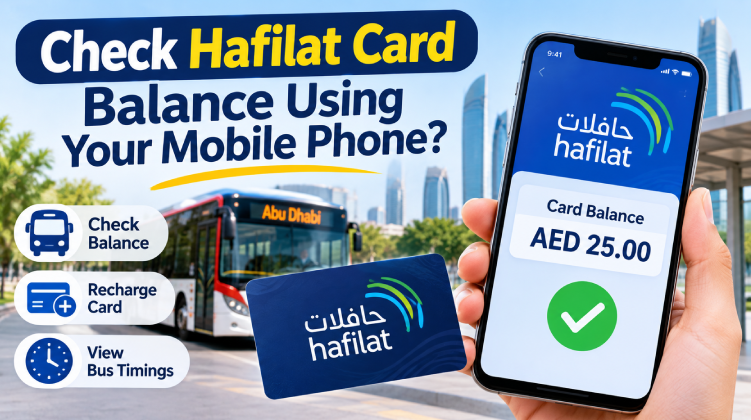
Checking your transport card balance before travelling can save you from unexpected problems during your journey. If you regularly use public buses in Abu Dhabi, keeping track of your Hafilat card balance helps you travel without worrying about having enough credit.
The good news is that you can use your mobile phone to check your card details and manage your travel needs. A hafilat card balance check can help you know how much money is available, when you need to recharge, and whether your card has enough credit for your next trip.
In this guide, you will learn how to check your Hafilat balance, recharge your card, understand available options, and find useful information about bus schedules.
What Is a Hafilat Card?
A Hafilat card is a rechargeable smart travel card used on public buses in Abu Dhabi, UAE. Passengers use it to pay their bus fares without carrying cash or buying a separate ticket for every journey.
The card makes public transport easier for residents, workers, and visitors. You can add credit whenever needed and use the available balance to pay for eligible bus journeys.
Some important features include:
- Cashless bus fare payments.
- Rechargeable balance.
- Convenient travel across Abu Dhabi’s bus network.
- Different card options for passengers.
- Easy access to travel-related services.
How to Check Hafilat Card Balance Using Your Mobile Phone?
You can use your smartphone to access available Hafilat services and check your card information. The exact options may depend on your device, card type, and the services currently supported.
Here are some ways to check your balance.
1. Use the Official Hafilat Online Service
One option is to visit the official Hafilat or Abu Dhabi mobility service through your mobile browser.
Follow these general steps:
- Open a browser on your smartphone.
- Visit the official Hafilat service.
- Look for the card balance or card information option.
- Enter the required card details.
- Follow the instructions displayed on the screen.
If an online balance service is available, you should be able to view the relevant card information.
2. Check Through an NFC-Enabled Smartphone
Some smartphones support Near Field Communication (NFC), which allows them to communicate with compatible smart cards.
If an official Hafilat mobile service supports NFC reading, you may be able to:
- Enable NFC in your phone settings.
- Open the supported application.
- Place your Hafilat card near the NFC area.
- Follow the on-screen instructions.
Keep in mind that NFC support alone does not guarantee that your phone can read every Hafilat card. Compatibility depends on the device and official service.
3. Use an Official Mobile Application
Check whether the current Abu Dhabi mobility application provides Hafilat card services. If supported, you may find options for viewing card information, managing travel, or accessing related services.
Always download applications from trusted app stores and check the developer’s details before entering personal or card information.
How to Recharge Your Hafilat Card?
If your balance is running low, recharging your card before travelling is a sensible choice.
Depending on the available service, you may be able to recharge through:
- Official online recharge services.
- Supported mobile applications.
- Ticket vending machines.
- Authorised recharge locations.
- Other approved payment channels.
After making a payment, follow any instructions about activating or updating the new balance. Some recharge methods may require you to tap your card on a compatible reader before the credit becomes available.
Why Should You Check Your Hafilat Balance Regularly?
Checking your card balance is a simple habit that can make daily travel easier.
Here are some benefits:
- Avoid travel problems: Know whether you have enough credit before boarding.
- Manage expenses: Keep track of how much you spend on public transport.
- Save time: Avoid searching for recharge facilities at the last minute.
- Plan journeys: Make sure your card is ready for regular commuting.
- Stay organised: Keep your transport expenses under control.
A quick balance check can help you avoid unnecessary delays, especially when travelling during busy hours.
How to Find Hafilat Bus Timings?
Knowing your card balance is important, but checking bus schedules is equally useful. Searching for hafilat bus timings can help you plan your journey and reduce waiting time at bus stops.
You can check bus schedule information through official Abu Dhabi mobility services.
When checking a bus timetable, pay attention to:
- Bus route number.
- Starting and ending locations.
- Departure times.
- Intermediate stops.
- Weekend and public holiday schedules.
- Any service changes or delays.
Bus timings may change depending on the route, day, and operating conditions. Always check the latest schedule before leaving.
Common Hafilat Card Problems and Solutions
Sometimes passengers experience problems while checking their balance or using their cards.
Here are a few common issues and possible solutions.
Incorrect balance information: Check your card details again and use an official service to confirm the available credit.
Recharge not showing: Wait for the required processing time and follow the activation instructions provided by the payment service.
NFC not working: Make sure NFC is enabled and your smartphone supports the required card-reading technology.
Card not accepted: Check whether your card is damaged, expired, or has insufficient credit. Contact an official support service if the problem continues.
Conclusion
Checking your Hafilat card balance using a mobile phone can make public transport more convenient. You can explore official online services, supported mobile applications, and compatible NFC options to access your card information.
A regular hafilat card balance check also helps you manage travel expenses and avoid unexpected problems when boarding a bus. Along with checking your balance, keep an eye on hafilat bus timings so you can plan your journeys more effectively. Always use official services for accurate card information and safe recharging.